Easy Context Menu v1.6
Easy Context Menu (ECM) lets you add a variety of useful commands and tweaks to the Desktop, My Computer, Drives, File and Folder right-click context menus. This enables you to access the most used Windows components quickly and easily. Simply check the box next to the items you wish to add. Once added, just right click and the select the component shortcut to launch it. Easy Context Menu is both portable and freeware.
Last update – Tuesday, 29 June 2021 (Silent Update)
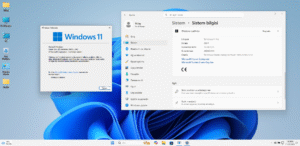
[Fixed] – Sticky notes doesn’t work on Windows 11
Last General update (08.08.2015)
[Fixed] – Windows 10 Registry writing Problem
[Fixed] – Restricted user permission issues
[Fixed] – If you change a group name in the List editor, target combo menu doesn’t update itself
[Fixed] – Block keyboard needs admin permission
[Fixed] – Tooltip doesn’t work properly
[Fixed] – Attrib screen is too narrow
[Fixed] – Command prompt bug and some minor translation errors
[Added] – Load saved settings icon
How to use
Extract the ZIP to the folder of your choice, and then run the program. Select your desired context menu entries by ticking the adjacent checkbox, then click the Apply Changes button.